

Payment Instructions
Planning & Environmental Review
Instructions for Paying for a Project
Section titled “Planning & Environmental Review Instructions for Paying for a Project”Step 1
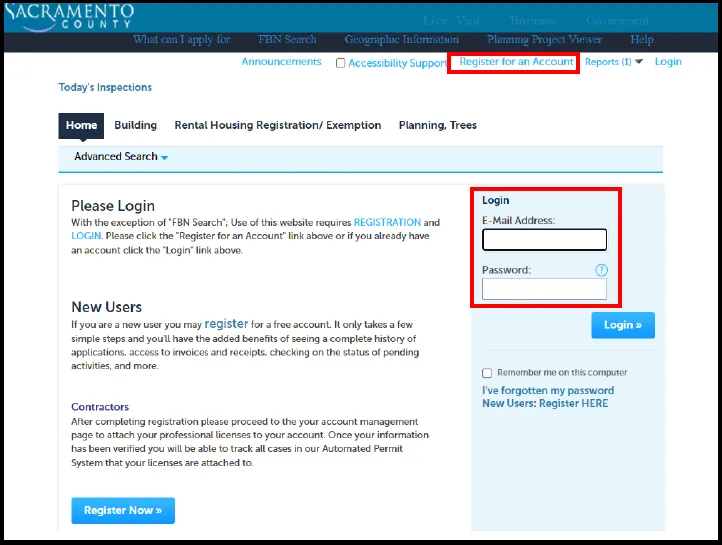
Section titled “Step 1”Go to https://aca-prod.accela.com/SACCO/ and login or create an account.
Step 2
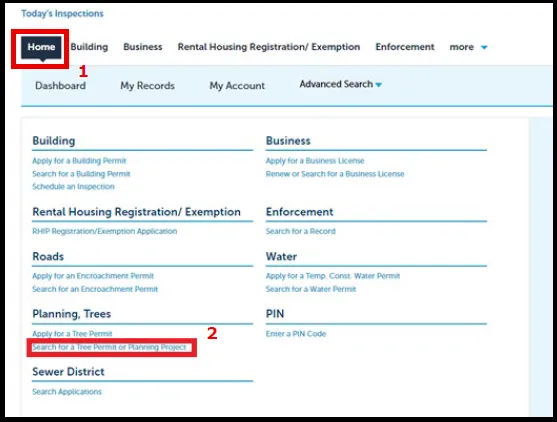
Section titled “Step 2”Click “Home”, then “Search for a Tree Permit or Planning Project”
Step 3 - TREE PERMITS ONLY
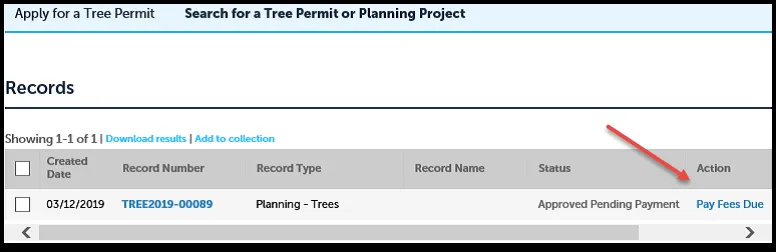
Section titled “Step 3 - TREE PERMITS ONLY”If you created the application online, you will see it in the list of Records. If you did not create the application, you will need to do a search to find it (go to Step 4). To pay fees on an application you created online, click the “Pay Fees Due” link.
Step 4 - ALL OTHER APPLICATIONS
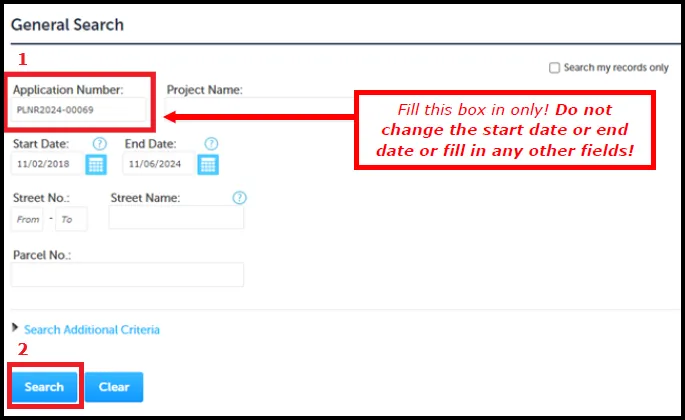
Section titled “Step 4 - ALL OTHER APPLICATIONS”Scroll down on the page until you see the General Search section. Type in your application number in the “Application Number” field and click “Search”.
Step 5
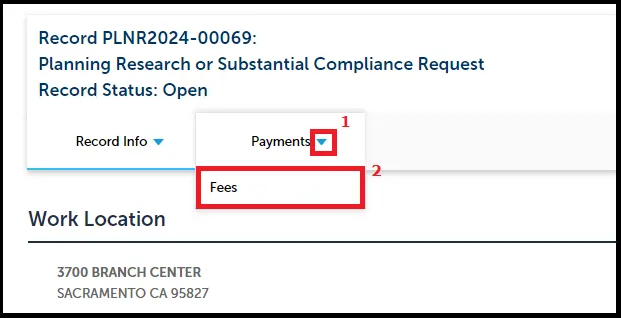
Section titled “Step 5”On the permit details screen, click the arrow to expand the “Payments” section and click on “Fees”.
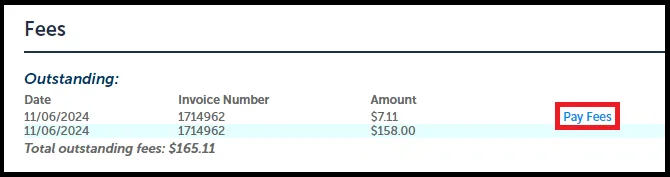
If you owe fees, you will see a “Pay Fees” link. Click it to start the process.
Step 6
Section titled “Step 6”The next page provides information about the fees. Click “Continue” when ready.
Step 7
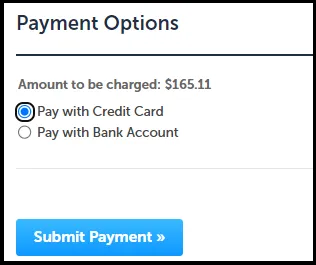
Section titled “Step 7”Select the method of payment and click “Submit Payment”.
Step 8
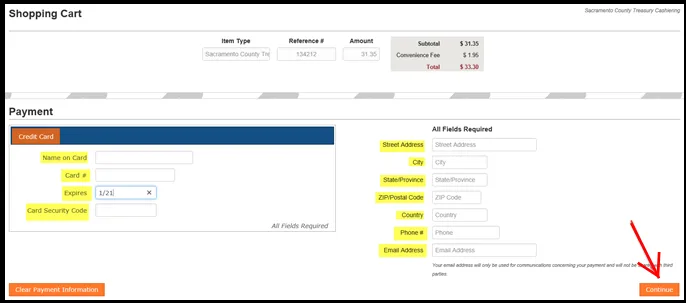
Section titled “Step 8”You will be taken to our third-party payment processing site. You may need to select your payment option again on that site.
Complete the payment information. All fields are required. When completed, click “Continue”. You will then see a review page. If all information is correct, click “Submit Payment”.
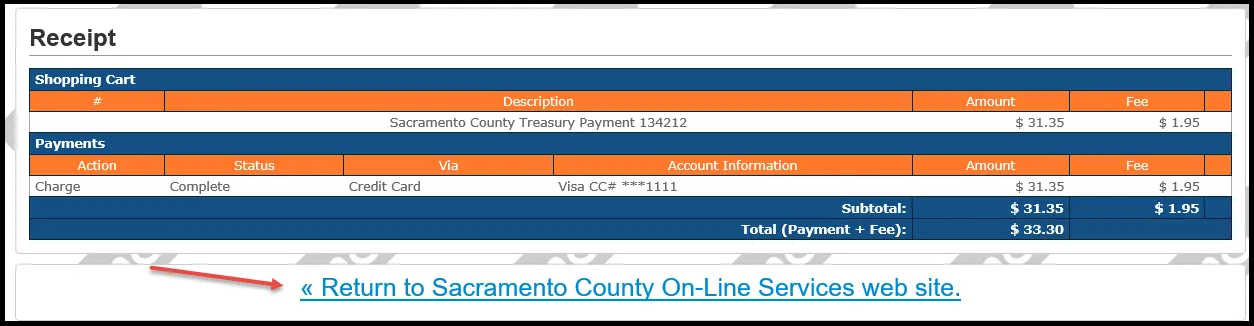
You will then see a Confirmation page. You can print a receipt if needed. Click the “Return to Sacramento County On-Line Services web site” button to return to our site.
Step 9
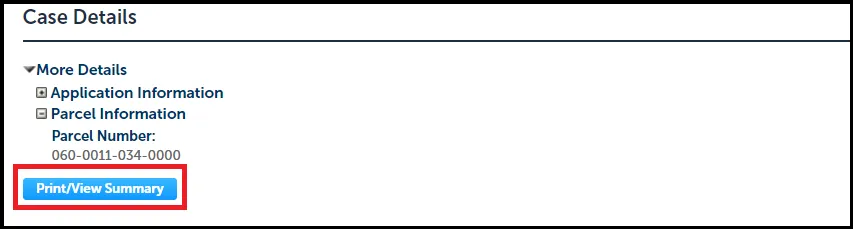
Section titled “Step 9”When you return to our site you should be on this page. If you click the button labeled “Print/View Summary”, it will open up a summary report of your application in PDF format. You can print this and keep it for your records. There is also a link back to your permit details.
Next Steps
Section titled “Next Steps”- If you paid online, we automatically receive notification that your payment has been made. There is no need to email us to let us know you have paid.
- If you paid by check or in person at our cashier window, please email us at planning-applications@saccounty.gov to let us know that you have paid.
Please allow at least one week for a lead planner to be assigned. Once assigned, the lead planner will introduce themselves to you by phone or email.
If you have not been contacted by your lead planner in one week, please email planning-applications@saccounty.gov for assistance.